 Databit
Check your data usage on Verizon, AT&T and T-Mobile
Every carrier lets you check usage in its app (My Verizon, myAT&T, T-Life), but the numbers often lag by hours and are always their version. With Databit you measure usage directly on your iPhone, in real time with 1-byte precision — on any carrier and any plan.
Checking usage with each carrier
| Carrier | Official check | Typical limitation |
|---|---|---|
| Verizon | My Verizon app → data hub | Hours of lag; login required |
| AT&T | myAT&T app → usage | Not instantaneous |
| T-Mobile | T-Life app → usage | Yesterday's numbers at peak times |
| Mint / Visible / Cricket… | Their app or portal | Balance only, little history |
All fine — as an occasional thermometer. But if you want to know right now how much of this week's bucket is left, you're depending on their systems being fresh and on logging in every time.
The second opinion: measure it yourself
The carrier's figure is their version of your usage. Not tracking it yourself is how surprise overages happen. Measuring on-device gives you:
- True real time: Databit registers every byte as it crosses your iPhone (LTE, 4G, 3G, EDGE) — no waiting for carrier systems.
- The same counting rules: choose base 1000 or 1024 bytes per KB and whether uploads count, so you compare apples to apples.
- Exportable evidence: your full history exports to CSV. If a charge doesn't add up, you walk into the dispute with data, not feelings.
Setup by plan type
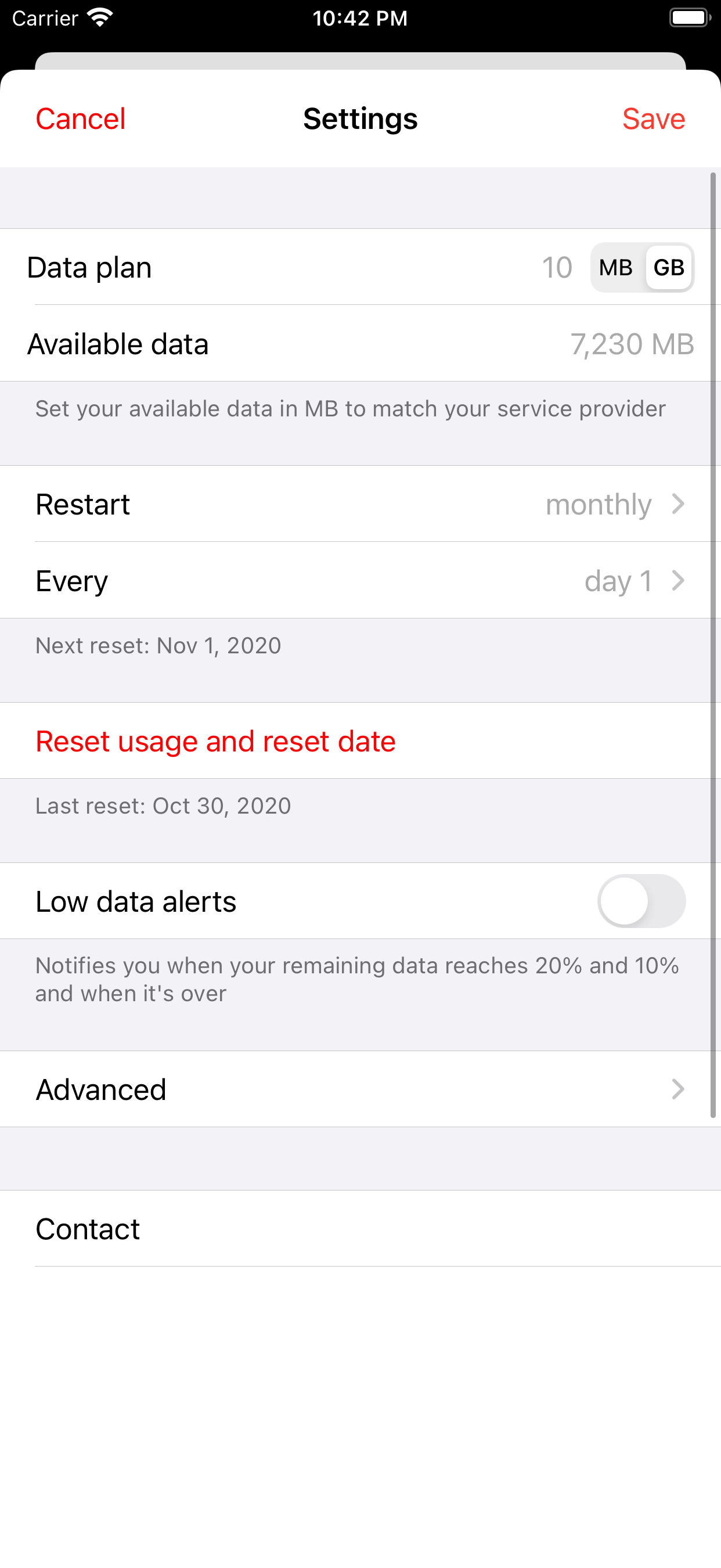
- Postpaid monthly: enter your plan's GB and billing day; Databit resets itself each cycle.
- Prepaid / weekly buckets: enter the bucket size and validity; the meter shows days left next to GB left.
- “Unlimited” with a deprioritization threshold: set the threshold (say 50 GB) and know before they throttle you.
The end-of-month result
Two or three measured cycles tell you whether your plan fits, whether you and your carrier count alike, and whether it's time to switch — decisions worth hundreds of dollars a year, made with your own numbers.
Track your data usage in real time
Databit shows how many GB you have left, alerts you at 20% and 10%, and resets automatically on your billing day. One-time purchase, no subscription.
Get Databit — 4.6★ on the App Store