 Databit
Stop paying data overage charges
When you run out of data, your carrier charges for every extra MB — and never warns you when you're close. Databit does. A one-time $1.99: no subscription, no ads, no in-app purchases.
Real-time usage
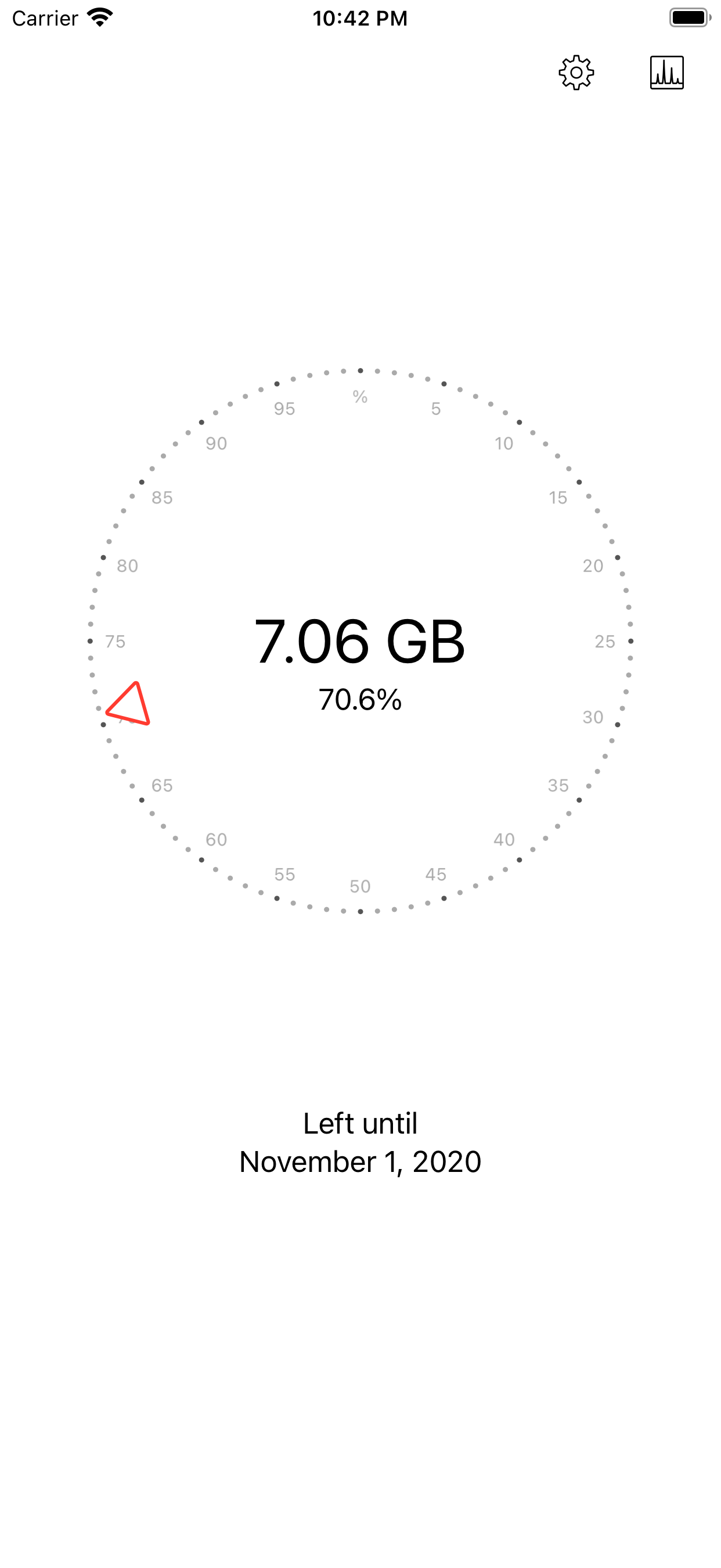
No calling your carrier or logging into their app: swipe and see how many GB you have left.
Alerts at 20% and 10%
Notifications when your data runs low and when it runs out. Zero bill surprises.
Widgets for iOS
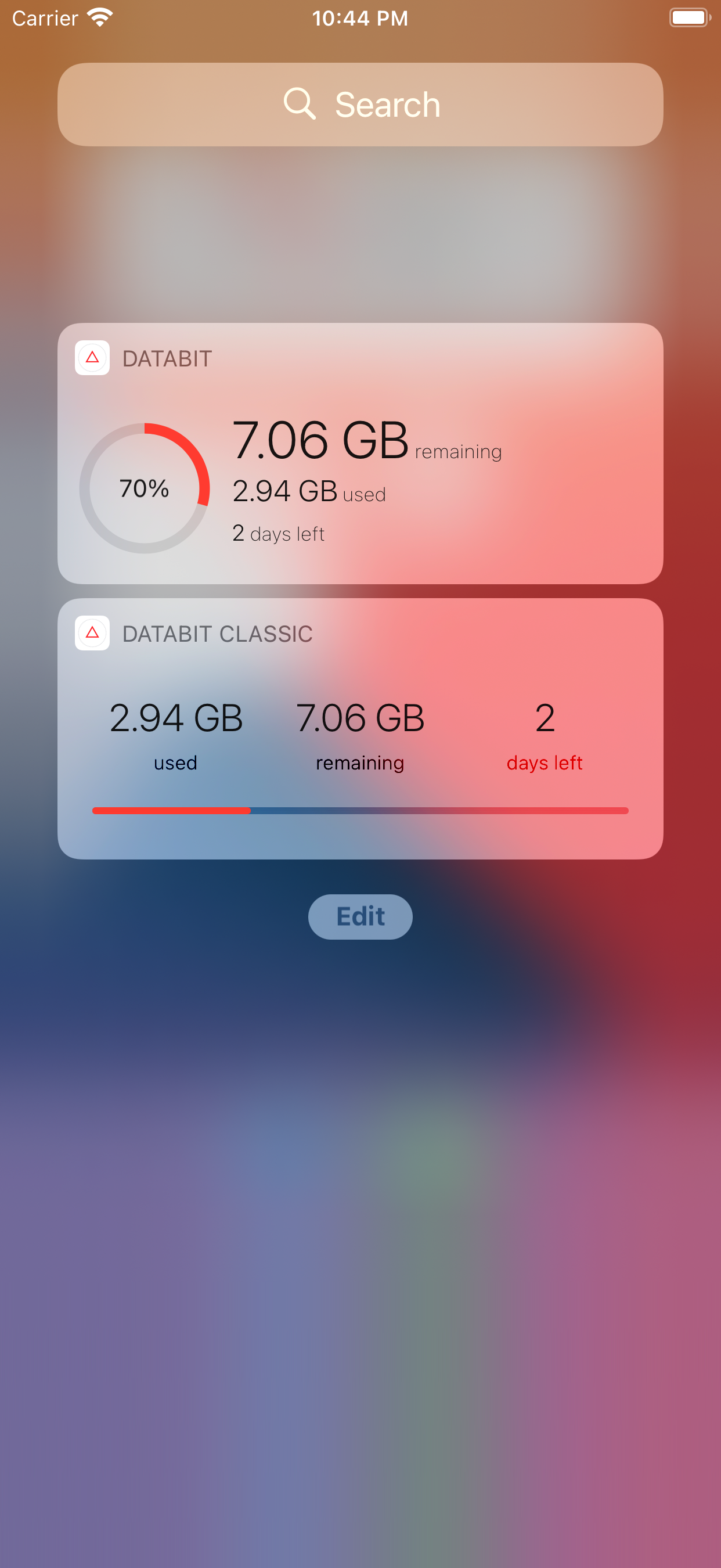
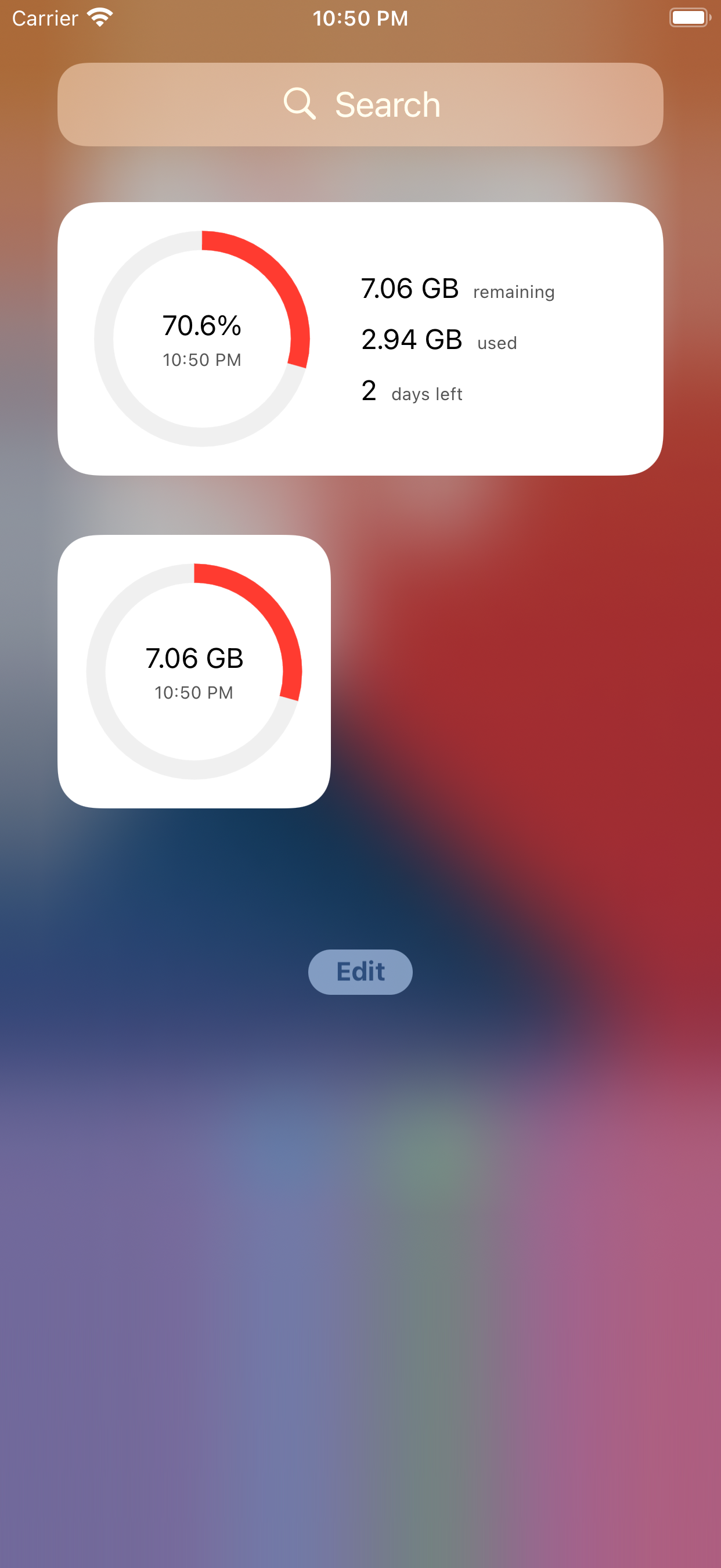
Two widgets with remaining GB, used data and days left, always visible on your screen.
Automatic reset
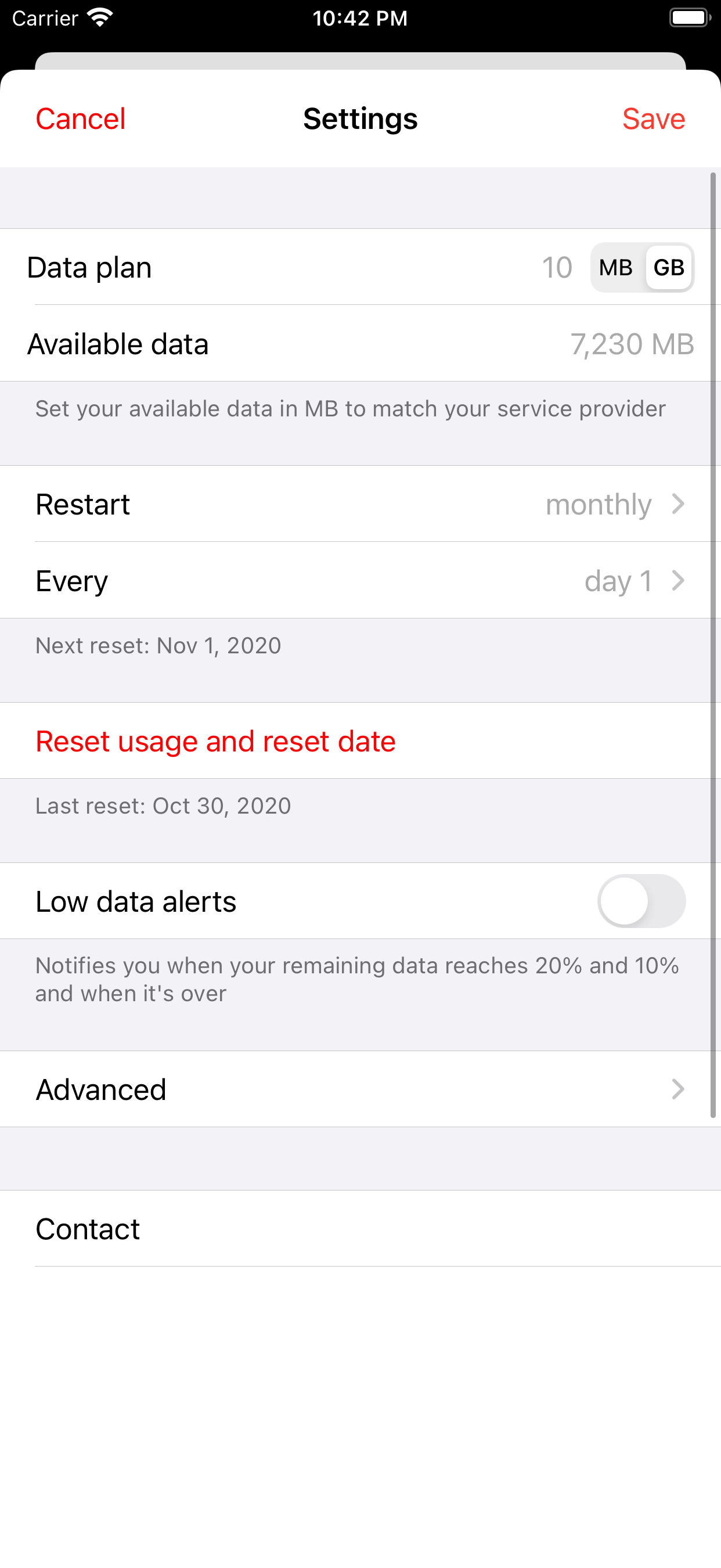
The counter resets itself on your billing day. Works with any plan and any carrier.
Daily usage chart
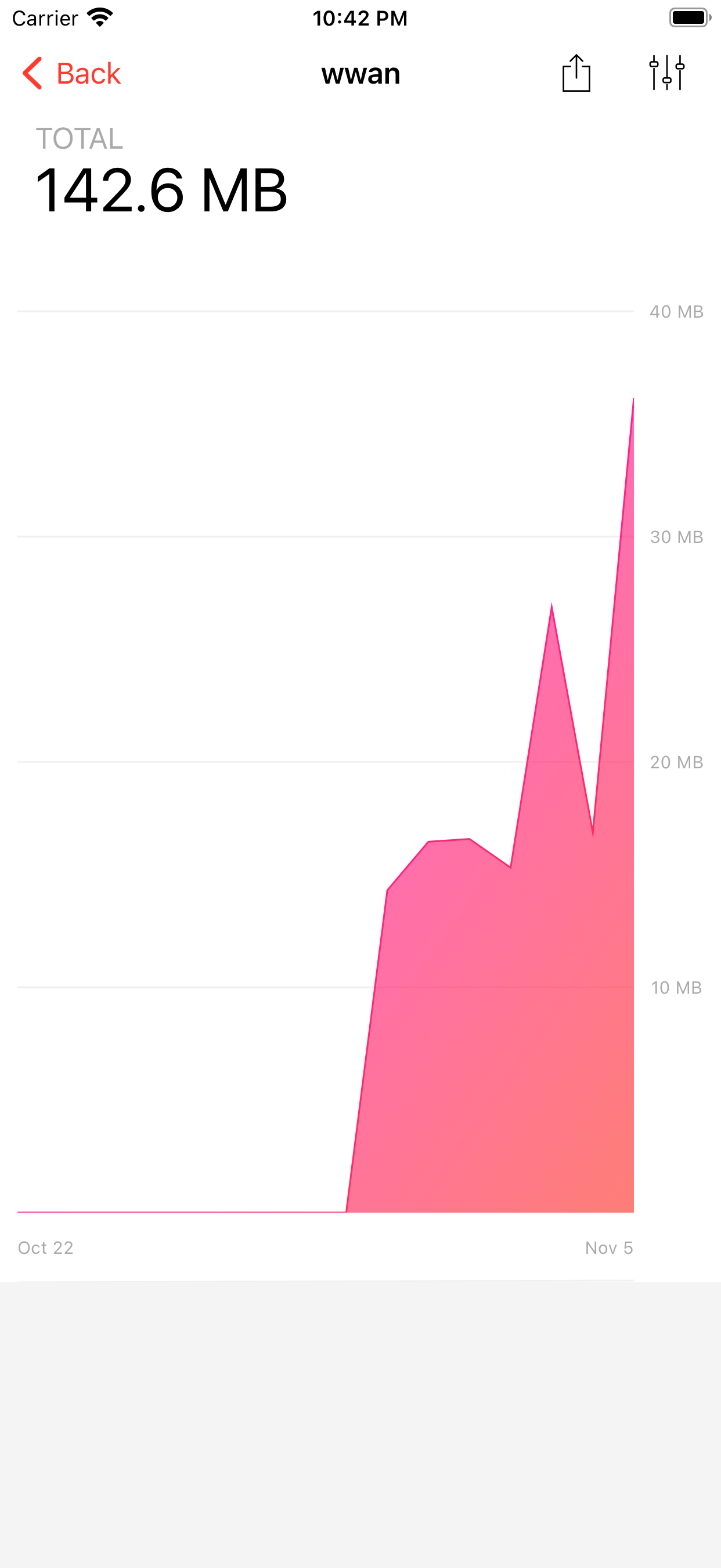
Spot the day your usage spiked and export your full history as CSV.
Apple Watch & hotspot
Check your data from your wrist, and tether without fear.
Minimalist design. Instant answers.
A circular meter you read at a glance, widgets so you never open the app, and charts for those who want the detail.
How it works
Two minutes of setup and you'll never wonder how much data you have left again.
Set up your plan
Enter your plan's GB (5 GB, 15 GB, “unlimited” with a threshold…) and your billing day. Databit resets the counter automatically every cycle.
Watch your usage live
The circular meter shows your remaining GB and percentage, measured byte by byte over LTE, 4G, 3G and EDGE. Or just glance at the widget.
Get alerts and save
Databit warns you at 20%, at 10%, and when data runs out. If you have gigabytes left over month after month, you have the evidence to switch to a cheaper plan.
Data usage guides
Clear answers to the questions we all have about mobile data — and how to solve them with Databit.
How to check data usage on iPhone
Where to find your usage in iOS, why the Settings counter misleads, and how to see it in real time.
Read guide → Data planHow to see how much data you have left
Verizon, AT&T, T-Mobile or prepaid: every way to check your balance — and the fastest one.
Read guide → AppsThe best data usage app for iPhone
What a good data meter must do, and how Databit measures up point by point.
Read guide → WidgetsData usage widget for iPhone
Put your remaining GB on the home screen with Databit's two widgets.
Read guide → ProblemsWhy is my data running out so fast?
The 7 most common causes of phantom drain and how to find yours with a daily chart.
Read guide → MathHow long does 5GB of data last?
A real-world table of what your bucket buys in video, music, social and browsing.
Read guide → HotspotDoes hotspot use a lot of data?
Why your laptop devours your plan in minutes and how to tether without surprises.
Read guide → iPhoneBackground data on iPhone
Which apps spend data while you're not looking and how to switch it off, step by step.
Read guide → AlertsData usage alerts on iPhone
iOS won't warn you before you run out. Here's how to get alerts at 20% and 10%.
Read guide → AppsHow much data do Spotify, YouTube and Netflix use?
Hourly usage for the most popular apps, with tables by playback quality.
Read guide → SavingsHow to save mobile data on iPhone
10 settings that cut your usage today — and how to measure what you saved.
Read guide → CarriersCheck data usage on Verizon, AT&T and T-Mobile
How to check usage with each carrier, and why metering it yourself pays off.
Read guide →Frequently asked questions
Everything people ask about mobile data usage and about Databit.