 Databit
How to see how much data you have left
Option 1: your carrier's app
| Carrier | Where to check |
|---|---|
| Verizon | My Verizon app → data usage |
| AT&T | myAT&T app → usage |
| T-Mobile | T-Life app → usage |
| Mint, Visible, Cricket… | Their app or account portal |
It works — but you need to sign in, the numbers often lag by hours, and you'll wade past upsell banners to find them.
Option 2: see it in real time with Databit
- Enter your plan size (say 5 GB or 15 GB) and your billing or renewal date.
- Databit deducts every MB as you use it and shows how many GB remain, the percentage left, and the days left in your cycle.
- Add the widget: your remaining data on the home screen, no tapping required.
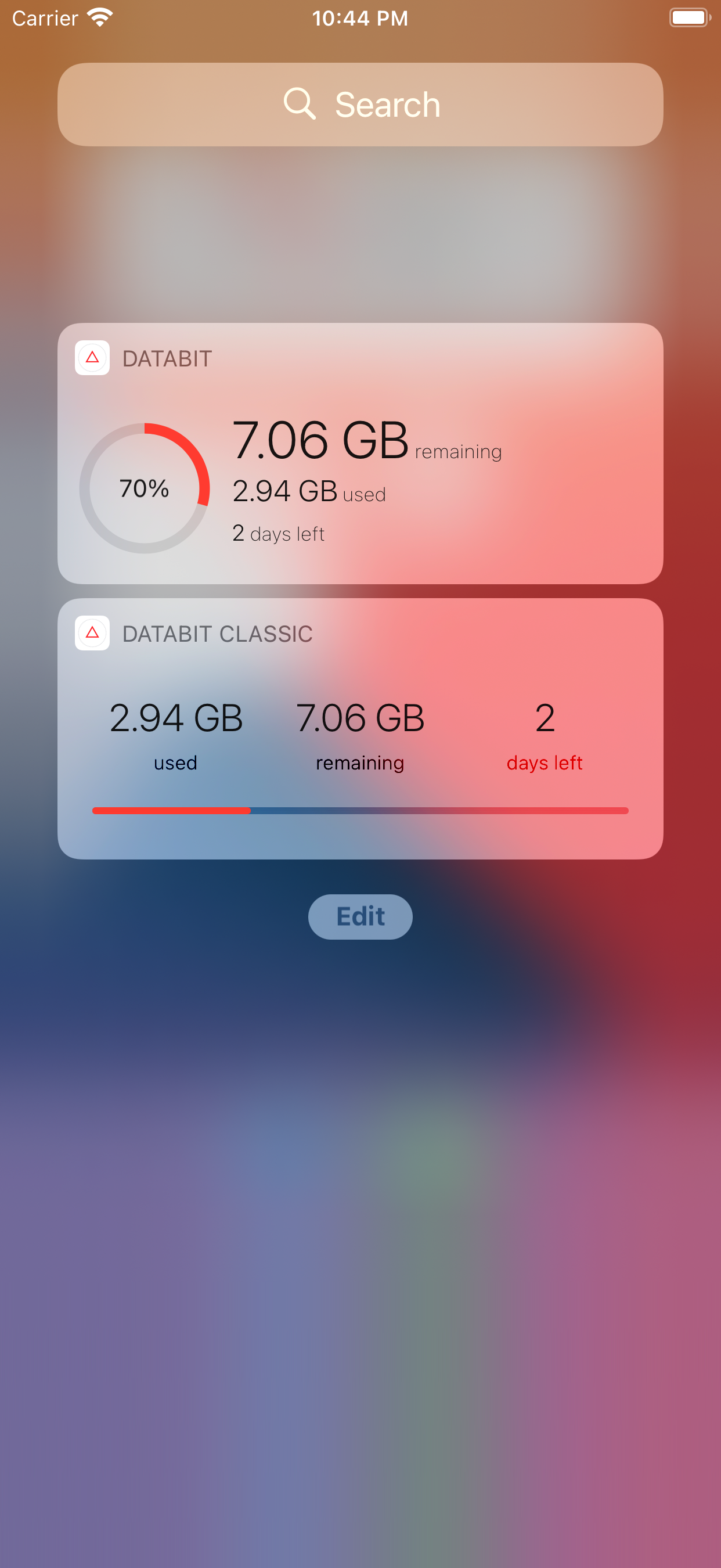
With alerts at 20% and 10%, you don't even have to remember to look — Databit finds you before you hit the cap.
Works with every carrier and plan
Databit measures traffic on the device itself, so it works with Verizon, AT&T, T-Mobile, prepaid MVNOs, and any carrier worldwide — monthly, weekly, or pay-as-you-go plans, with automatic resets matched to your cycle.
Bonus: find out if you're overpaying
After two or three measured cycles you'll know your real usage. If you consistently have gigabytes left over, that's your cue to downgrade to a cheaper plan — an instant saving your carrier won't suggest.
Track your data usage in real time
Databit shows how many GB you have left, alerts you at 20% and 10%, and resets automatically on your billing day. One-time purchase, no subscription.
Get Databit — 4.6★ on the App Store