 Databit
Data usage alert on iPhone: how to set one up
The iPhone has no native data usage alerts: iOS doesn't know your plan size or billing date. With Databit you set your plan once and get automatic notifications when your data drops below 20% and 10%, plus a final one when it runs out.
The most expensive silence in iOS
Your iPhone notifies you about everything — except the one thing that costs you money every month. iOS doesn't know if your plan is 3, 5 or 50 GB, or when it renews, so it can't warn you as you approach the cap. You find out when the internet “gets slow”… or when the bill arrives with overage charges.
Set up your alerts in 2 minutes
- Download Databit and open settings.
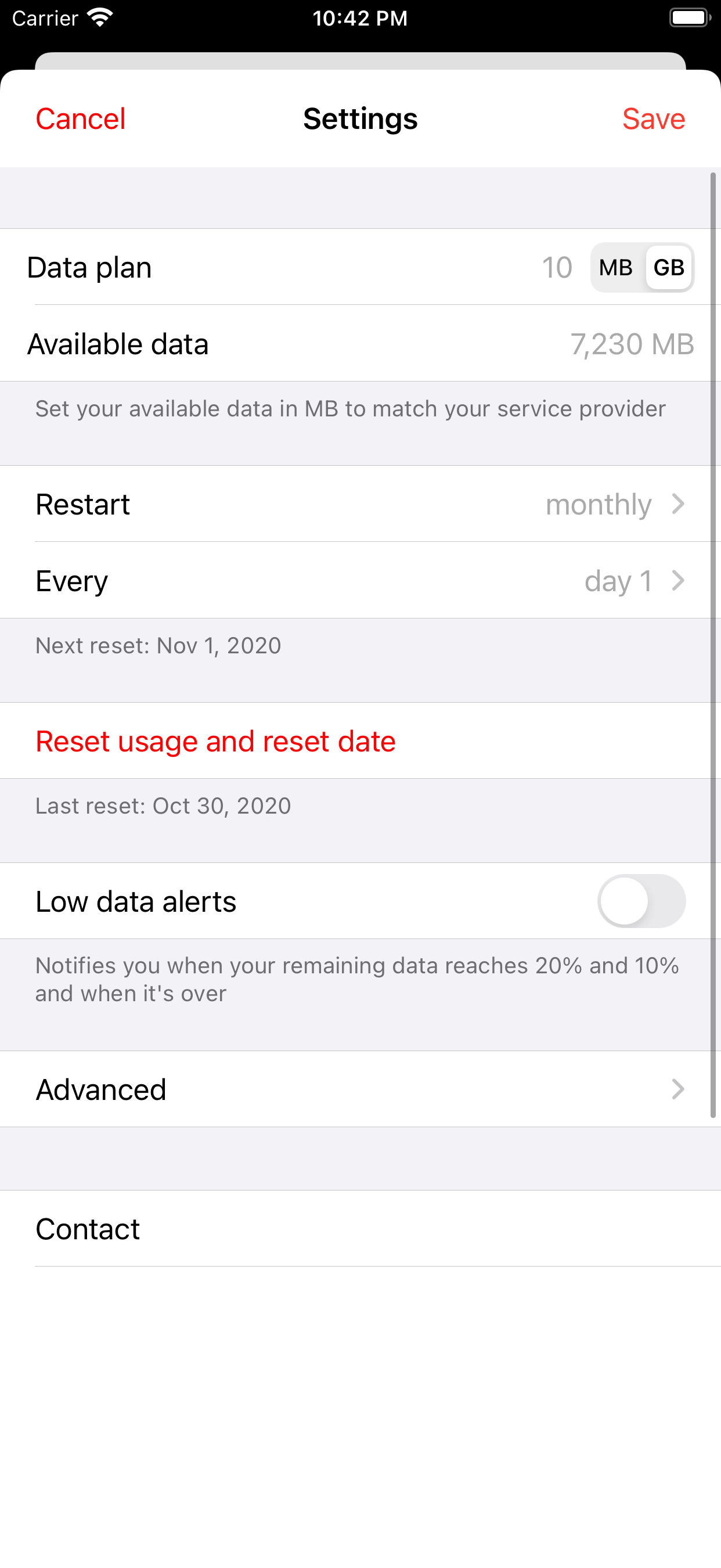
- Enter your period data (your plan's GB) and your reset day — same as your billing day.
- Toggle on Usage alerts. Done.
How the three alerts work
- 20% left — the maneuvering alert. You still have margin: lower streaming quality, enable Low Data Mode, and coast to your reset date without paying extra.
- 10% left — the serious one. Survival mode: messaging and maps only, no video over cellular.
- Data exhausted. Decide with a cool head: top up, or ride out the throttle until reset? Your call — not the fine print's.
Alerts that understand your billing cycle
The magic is the automatic reset: Databit restarts the count on your billing day, every cycle, so alerts are always computed against your current plan — not against a counter someone forgot to reset. Works with monthly, weekly or prepaid plans on any carrier.
Track your data usage in real time
Databit shows how many GB you have left, alerts you at 20% and 10%, and resets automatically on your billing day. One-time purchase, no subscription.
Get Databit — 4.6★ on the App Store